We're excited to announce Nanome v2.4.0, a milestone release that marks our transition to open access, brings back a beloved feature, and introduces powerful new capabilities for molecular analysis.
Now Available: Early Access Release on Meta Quest Store
This is a big one. With v2.4, we're transitioning Nanome V2 from closed beta to early access release on the Meta Quest Store.
Until now, accessing V2 required an invitation, a special URL, or being added to our developer channel via request. That friction is gone. Anyone can now download Nanome V2 directly from the Quest Store and start exploring.
This milestone reflects our confidence that V2 is approaching the quality and feature completeness needed for a full public launch. We've spent the past year refining the core experience based on feedback from our beta users, and we're ready to open the doors wider.
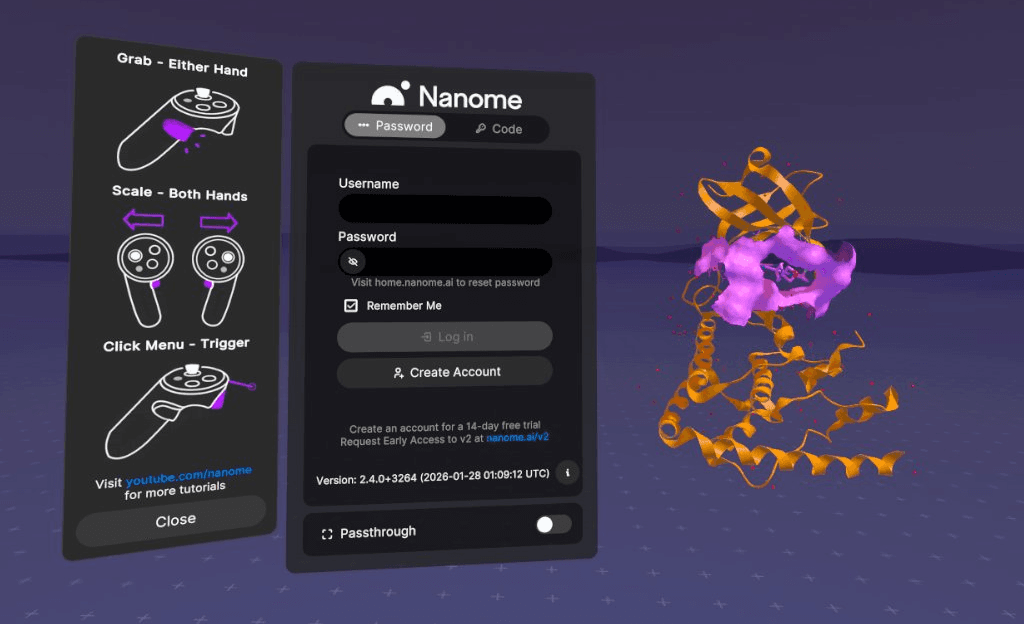
To support new users discovering V2 for the first time, we've added the controller tutorial banner to the login experience—showing basic controls and linking to our YouTube tutorial library. Whether you're a longtime Nanome user transitioning from V1 or completely new to the platform, you'll have the resources to get up to speed quickly. The tutorial panel stays accessible from Settings whenever you need a refresher.
Access options:
- Paid Nanome license holders: During the early access period, V2 is included. Just log in with your credentials
- New users: Create an account to start your 14-day trial with full V2 access
- Meta Quest Store: Download directly and explore
Voice Commands Are Back—And Better Than Ever
Long-time Nanome users will remember our original voice commands, which were among our most popular features before Microsoft deprecated Cortana in late 2023. After more than two years, voice commands have returned—and they've been completely reimagined.
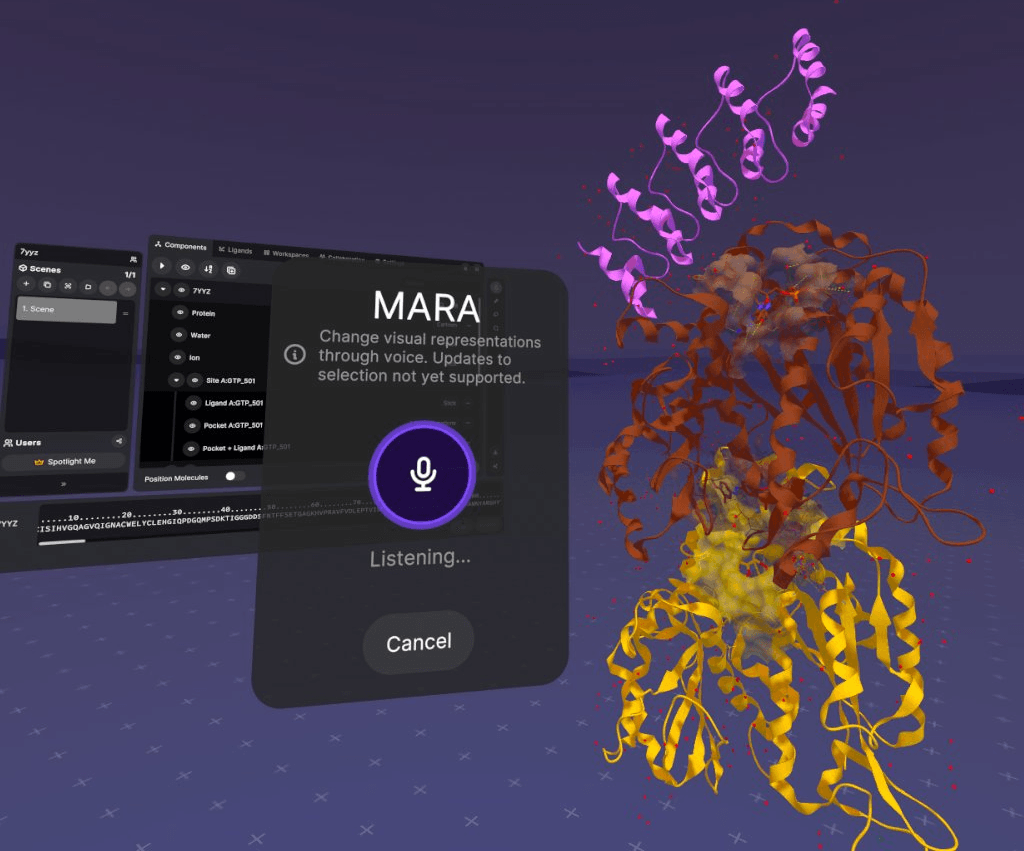
Powered by a MARA integration, voice commands in v2.4.0 let you control your workspace using natural language. Unlike the original Alexa-style commands that required specific phrases, you can now speak naturally to change representations, adjust rendering styles.
What's new:
- Works on standalone headsets like Meta Quest for the first time—something that wasn't possible with Cortana
- Natural language processing means more flexible, conversational interactions
- Currently supports representation changes (colors, rendering styles, visibility)
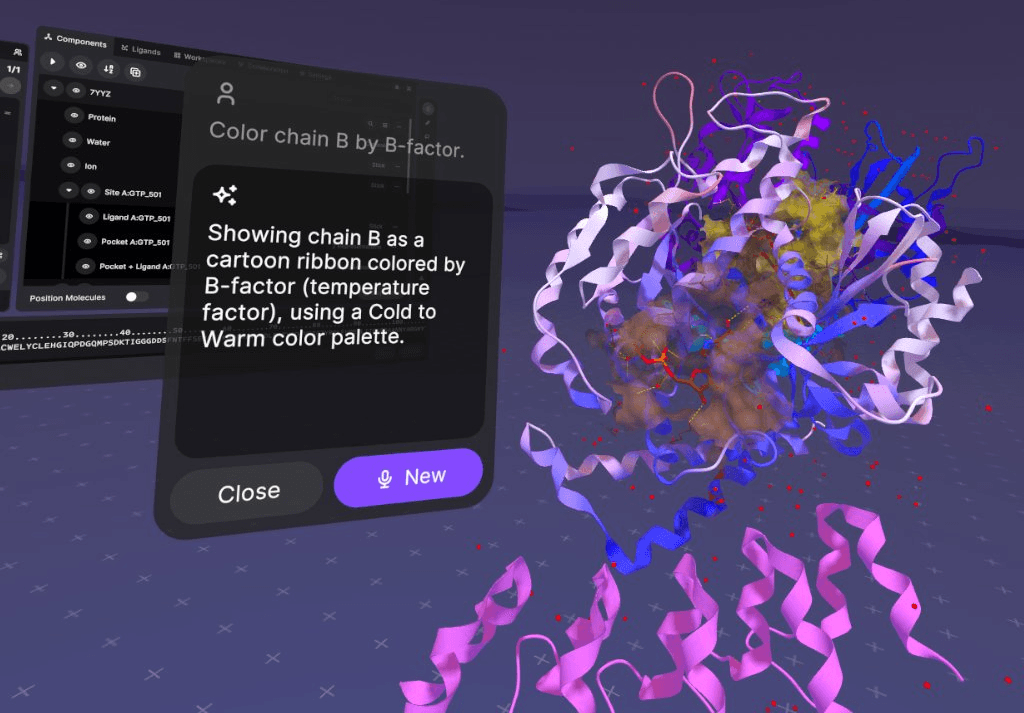
Pro tip: When working with multiple entries, be specific about which structure you're referencing. For example, "Change chain A of 1ABC to blue ribbon" will get better results than "make this blue" since voice commands don't yet incorporate gaze or gesture data.
Coming soon: Selection state support and expanded command capabilities in future updates.
Multi-Frame Playback: Animate Your Molecules

The new Automated Playback Controls bring molecular dynamics and conformational analysis to life in XR. Load multi-model files and watch your structures animate with full control over playback speed.
Use cases include:
- Docking pose comparison: Play through multiple poses to see how ligands explore binding site space
- Chemical interaction analysis: Watch interactions update in real-time as frames advance
- Protein animations: Import morph trajectories or molecular movies to visualize conformational changes
- Complex assembly: Show multi-model complexes coming together in 3D space
This feature transforms how teams review docking results and communicate structural dynamics during collaborative sessions.
Ligand Minimization with Force Field Options

The Builder tool now includes ligand minimization with three force field options:
- MMFF94 (Merck Molecular Force Field)
- MMFF94s (static variant)
- UFF (Universal Force Field)
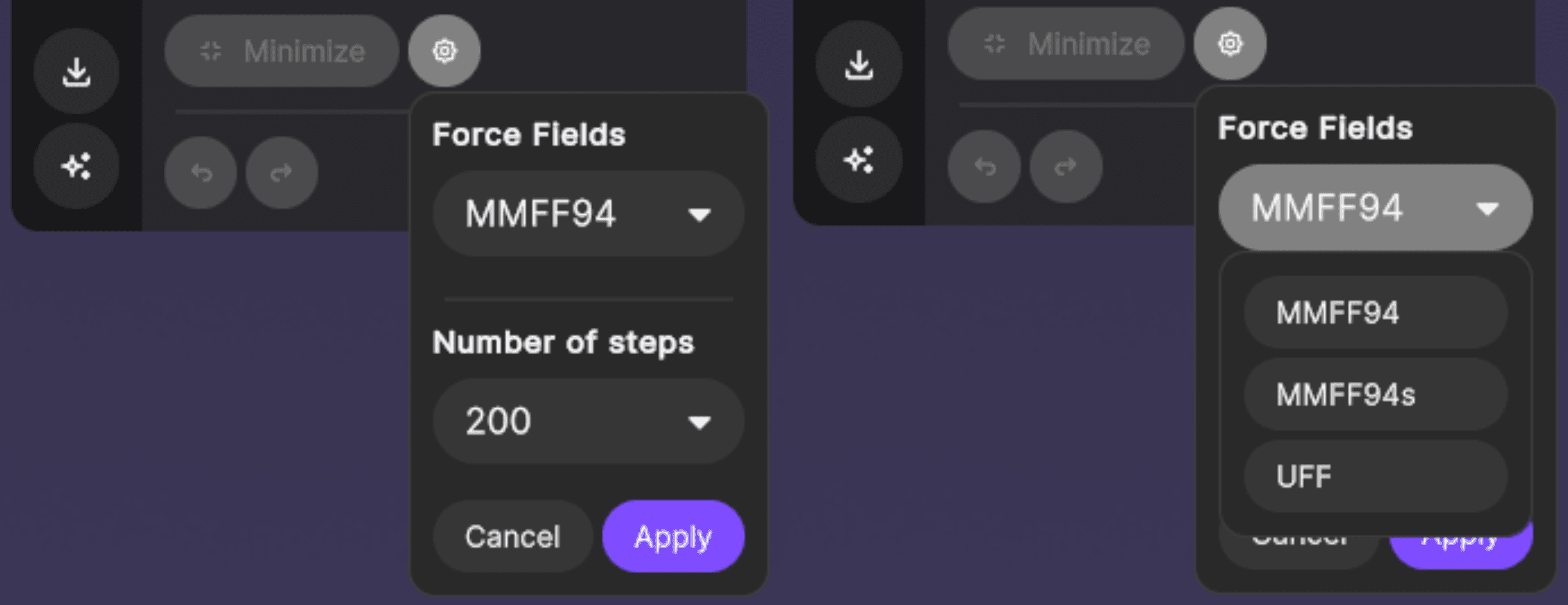
After editing a ligand, run minimization to optimize geometry and enjoy a satisfying audio confirmation when the calculation finishes. This brings professional-grade ligand refinement directly into your immersive workflow.
Note: Pocket minimization (minimizing within the context of a protein binding site) is coming in a future update. For now, you can use MARA tools for protein-referenced minimization.
Custom Chemical Interactions
Chemical interactions have been completely rebuilt from the ground up with custom, in-house calculations. Unlike V1's plugin-based approach using open-source libraries, V2.4's interactions are native to the platform, delivering faster performance and precise control.
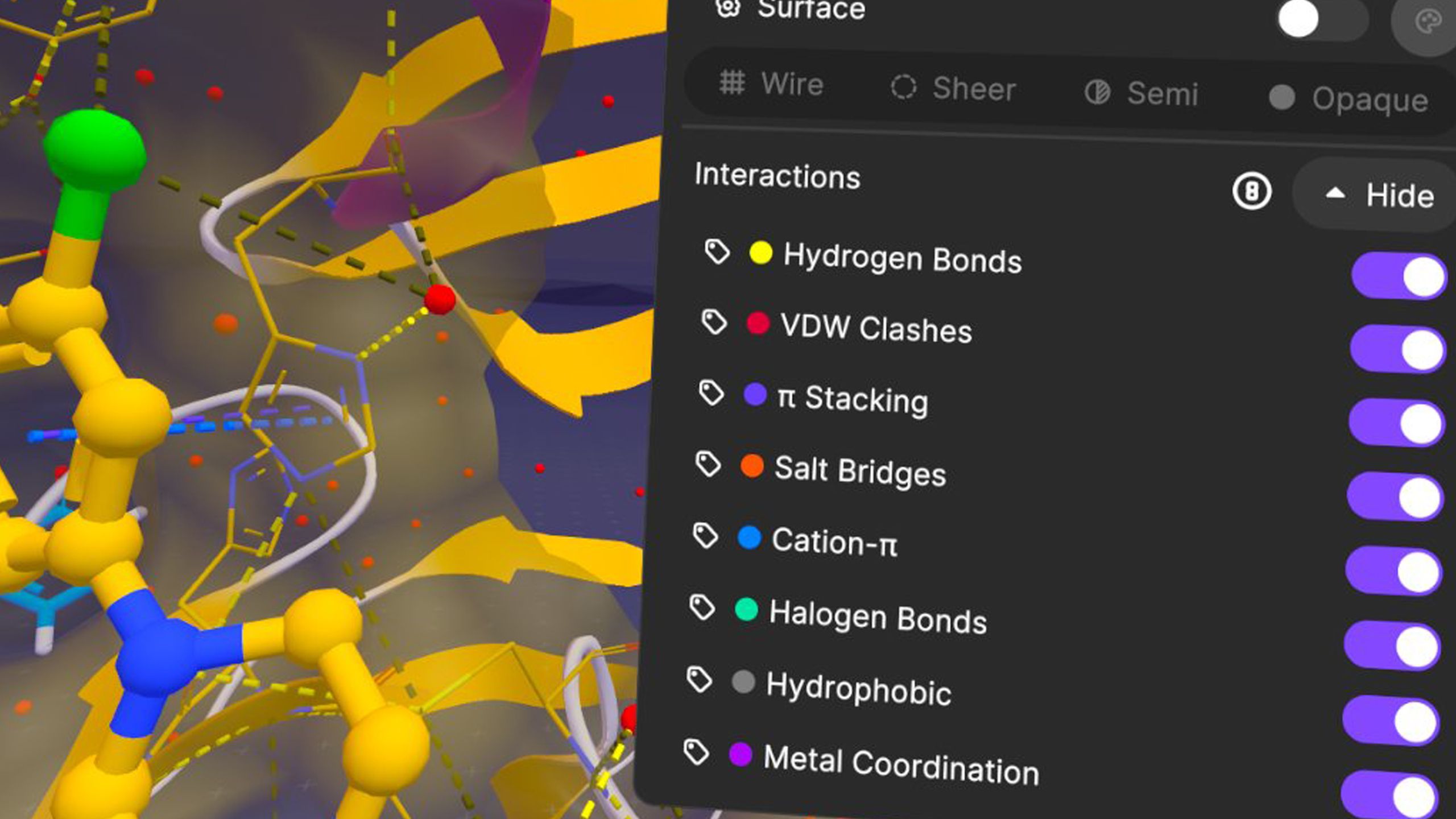
Supported interaction types:
- Hydrogen Bonds
- VDW Clashes
- π-Stacking
- Salt Bridges
- Cation-π
- Halogen Bonds
- Hydrophobic Interactions
- Metal Coordination
Why this matters: With Position Molecules, you can manually adjust ligand placement and watch chemical interactions update in real-time. Move a ligand half an angstrom and immediately see how your interactions change. It's perfect for intuitive lead optimization and understanding binding site complementarity.
The clashes visualization is particularly valuable for identifying unwanted steric interactions between your ligand and protein residues, helping teams make better decisions about candidate selection.
Beautiful Molecular Surfaces, Computed Server-Side
The much-loved high-quality surface rendering from V1 makes its V2 debut. Molecular surfaces are now computed server-side, meaning:
- No lag or freeze-up during generation
- Faster rendering on standalone devices
- Beautiful, publication-quality surfaces that help you understand pocket shape and volume
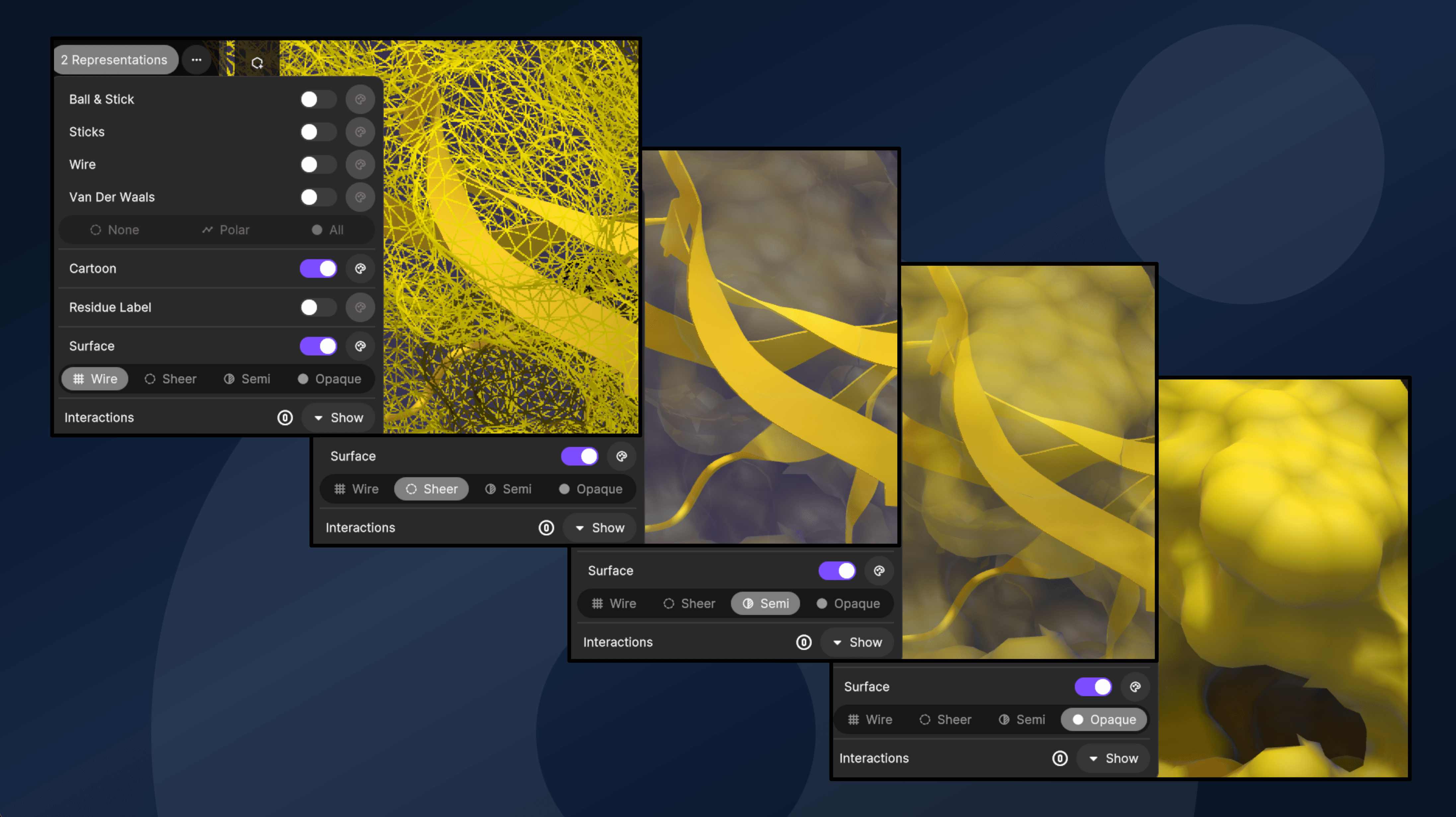
See your molecules with better clarity than ever before and understand exactly how much space is available in that binding pocket.
Measurement Tool Enhancements
Building on V2.2's measurement foundations, this release adds:
- Dihedral angle measurements for analyzing torsional relationships
- Live measurement preview that updates in real-time as you position your selection
- Drag-and-drop measurement creation for faster workflow
- Improved angle measurement deletion and live preview
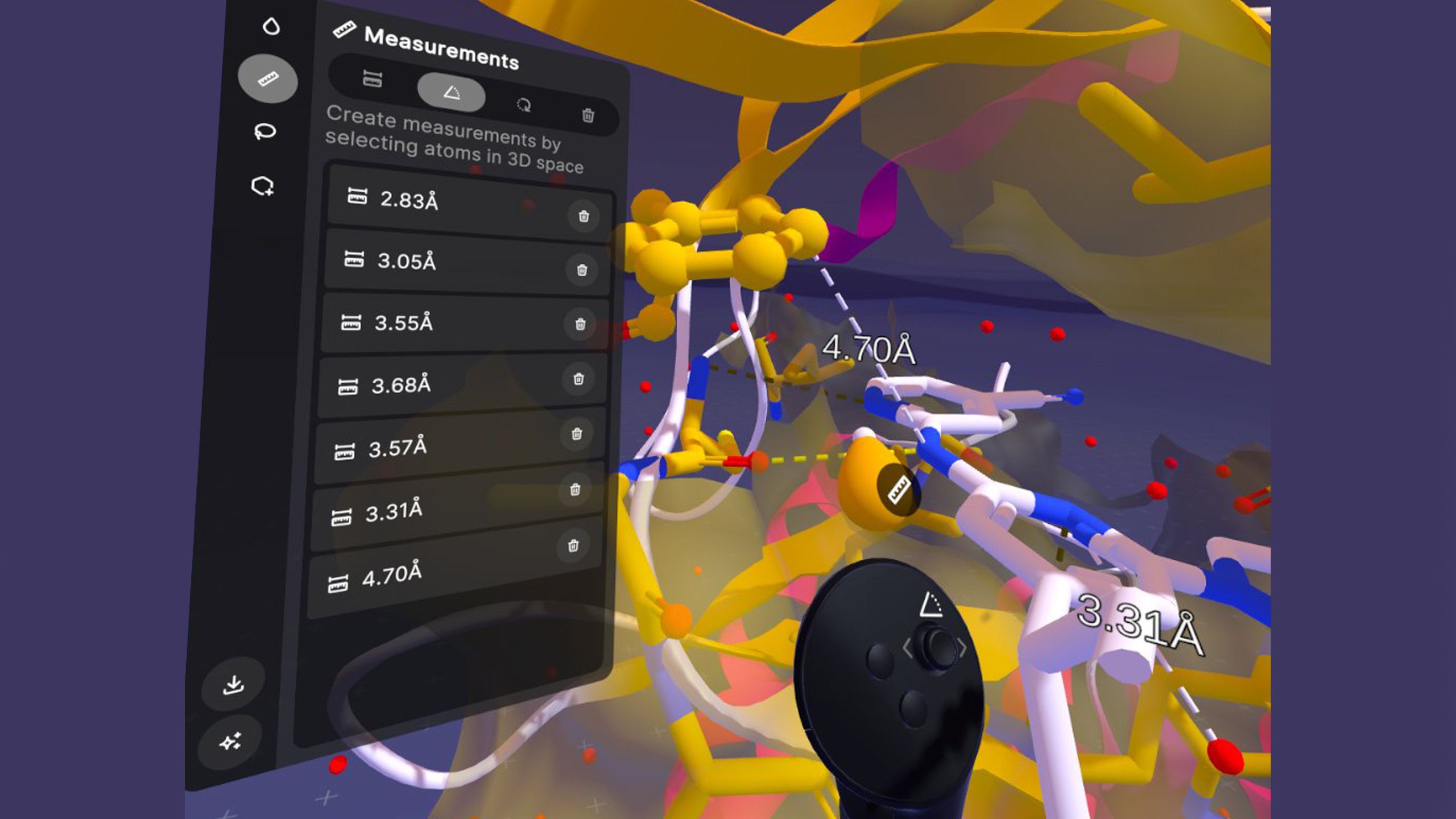
See distances change in your hand as you move through space. There's something uniquely intuitive about watching measurements update live in 3D.
Redesigned Menus and New Login Experience
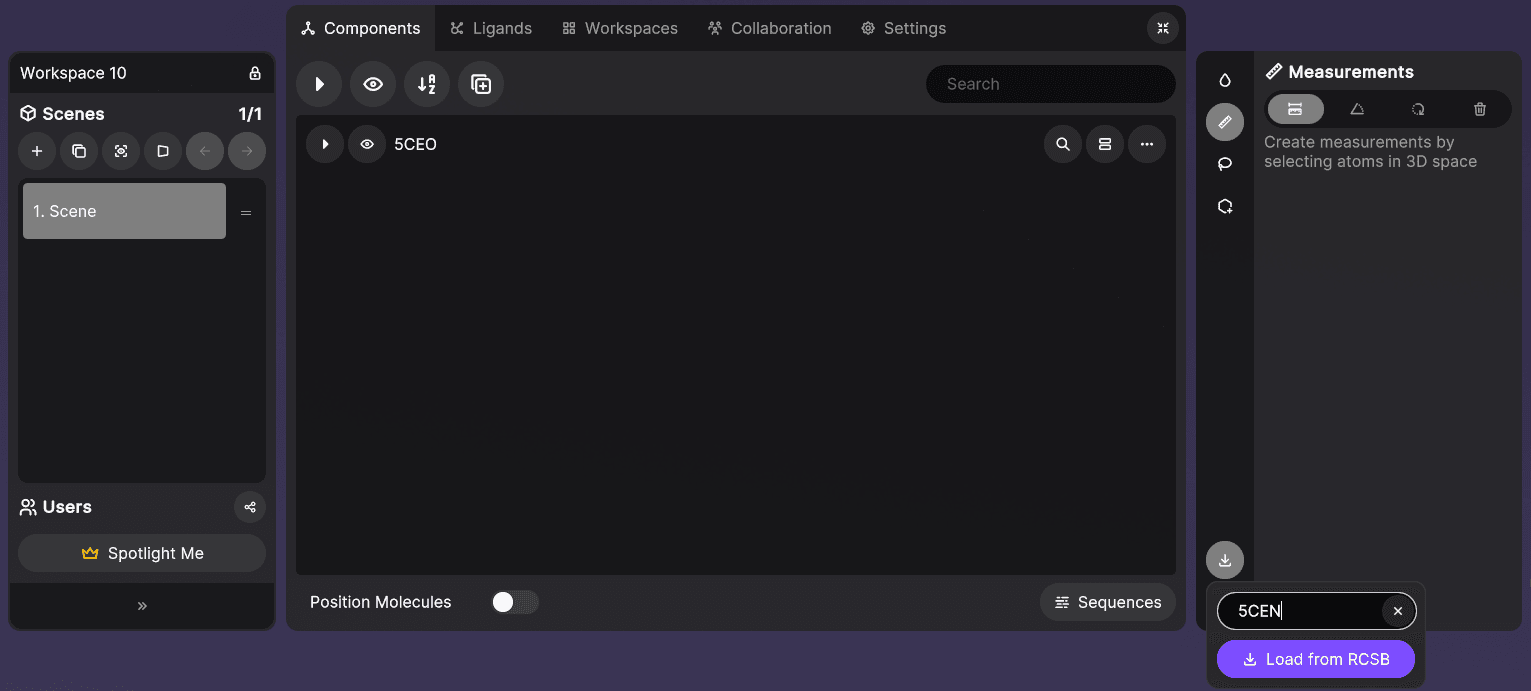
The application menu has been reorganized for better scalability:
- Scene menu now lives on the left
- Tools menu on the right
- Tab navigation across the top
The login experience now includes an onboarding banner with basic controls and a link to our YouTube tutorial library. It's helpful for getting new team members up to speed quickly. The tutorial panel can be toggled on/off anytime from Settings.
New Selection Menu & Tool-Specific UIs
Every tool now has its own dedicated menu showing relevant information:
- The Selection tool displays selected residues, atoms, and selection counts at a glance
- No more navigating through nested menus to find selection details
- Everything you need is right there when you need it
Bulk Display & Ligand Tagging
Managing large ligand sets just got much easier:
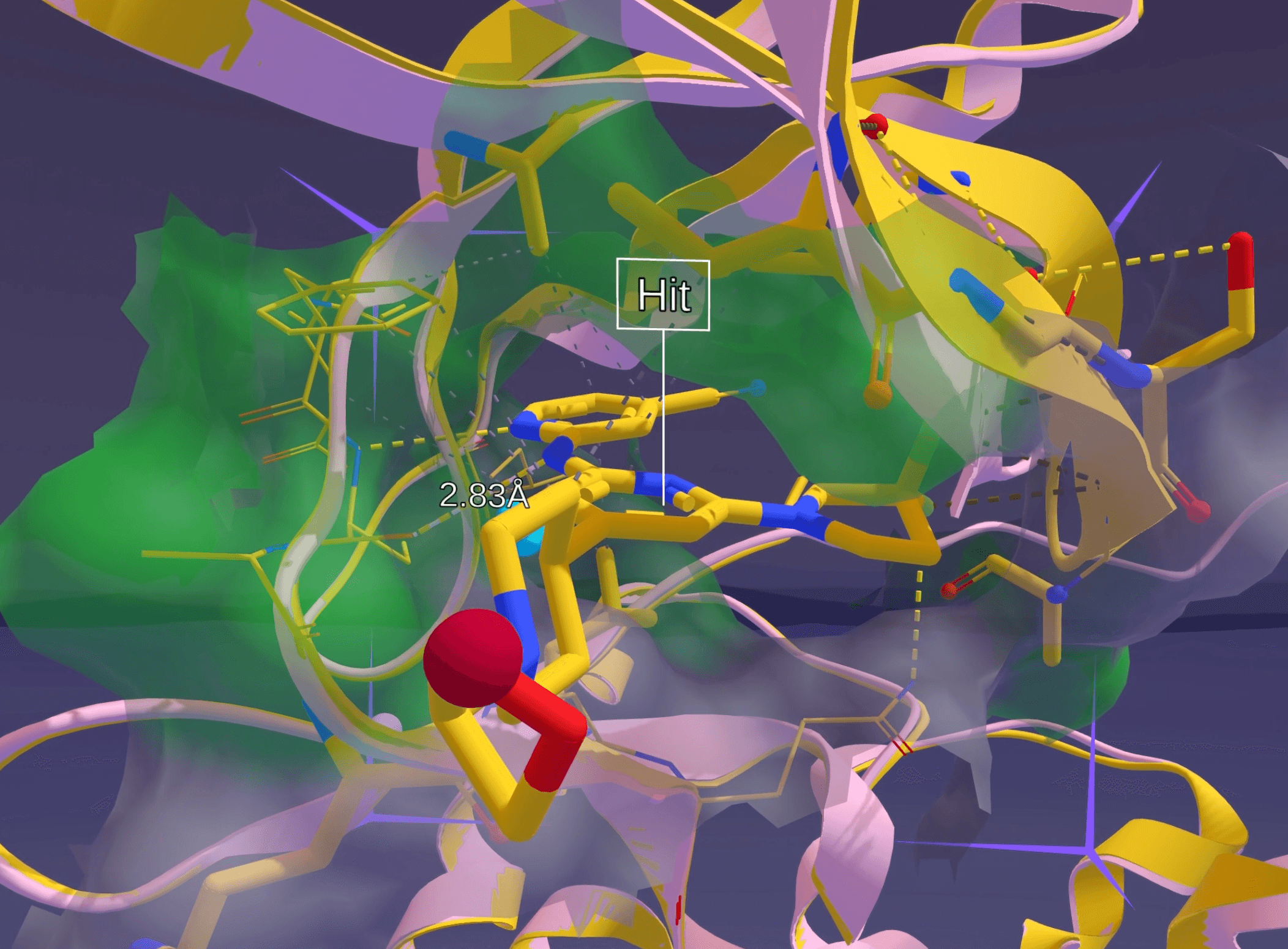
Bulk Display: Show multiple ligands from an SDF file simultaneously without splitting. Compare pose 5 and pose 9 side-by-side, examine their chemical interactions, and make decisions faster.
Ligand Tagging: Tag ligands during review sessions with preset or custom labels. Later, use MARA to pull all "hit" or "candidate" tagged molecules from a workspace directly into a chat for further analysis.
Quality of Life Improvements
- Sound effects for UI interactions and events (minimization complete, stop following user, etc.) are configurable in Settings
- Scene reordering lets you arrange your molecular PowerPoint exactly how you want it
- Hidden controller models in passthrough mode so you can see exactly which finger is on which button during onboarding
- Improved annotation labels with no black backgrounds and labels that don't obscure measurement lines
- Selection persistence across scenes so you don't lose your 30-residue selection when switching views
- Improved parsers for PSE, mmCIF, and PDB files with better data support and accuracy
- Ion component added to the component menu
- Avatar color indicators on hover in the Scene List
- Sequence menu optimizations for smoother navigation
What's Next
V2.4 represents a major step forward in making molecular visualization and analysis more intuitive, powerful, and collaborative. We're continuing to expand MARA integration, add more tools, and refine the immersive experience based on your feedback.
Look out for the full Nanome V2 launch coming later in 2026. We're getting close, and we can't wait to share what's next.
Haven't tried V2 yet? Nothing beats experiencing it yourself.
🚀 Get started today: https://nanome.ai/demo/
Written by the Nanome Team