With v2.5, Web users and XR users can finally share the same live session. Trajectories can be scrubbed frame by frame inside the workspace. A new Torsion Angle Tool lets you rotate dihedrals with real-time strain coloring. Projects and permissions landed. Surfaces load instantly on revisit. And that's before we get to interaction analysis, new file formats, and 30+ fixes.
Here's the tour.
Web and XR, finally in the same room
This is the one we've been waiting on. Until v2.5, web users and Quest users were on parallel tracks. You could use either but you couldn't be in a workspace together, until now.
In v2.5 they're the same session. Web users join the live room alongside standalone XR devices and PCVR users, see each other's position, and watch molecular changes happen in real time. A med chemist in XR can talk through a binding pocket while a comp chemist on a laptop follows along, pulls up a trajectory, and can set up the next scene. Through Spotlight mode, everyone can look at the same molecule from the same perspective instantly.
If where molecules, scientists, and agents meet was going to mean anything literal, this was the feature that had to work.
Three new scientific features
Torsion Angle Tool (beta feature)
Interactively rotate dihedral angles and observe the strain updating in real time. Atoms change color from green to yellow to red as they are pushed out of plane. During rotation, red indicates high strain, yellow signifies that the angles are outside standard ranges, and dark green represents acceptable angles with low to no strain. You can see strain across the whole structure or just locally around the bond you're editing. Fast-trigger prevention catches invalid rotations before they happen. Please note: There are a few known bugs with the Torsion tool, so we're rolling this feature out in beta for now.
Trajectory Playback
Load a molecular dynamics trajectory and scrub through it frame by frame. Playback syncs across users, so a whole team can watch the same frame at the same moment. Current cap is 2,000 frames per trajectory, which is where we landed balancing usability against Quest memory. Streaming and indexing for larger trajectories is queued up for the next release.
Interaction Analysis & Annotation
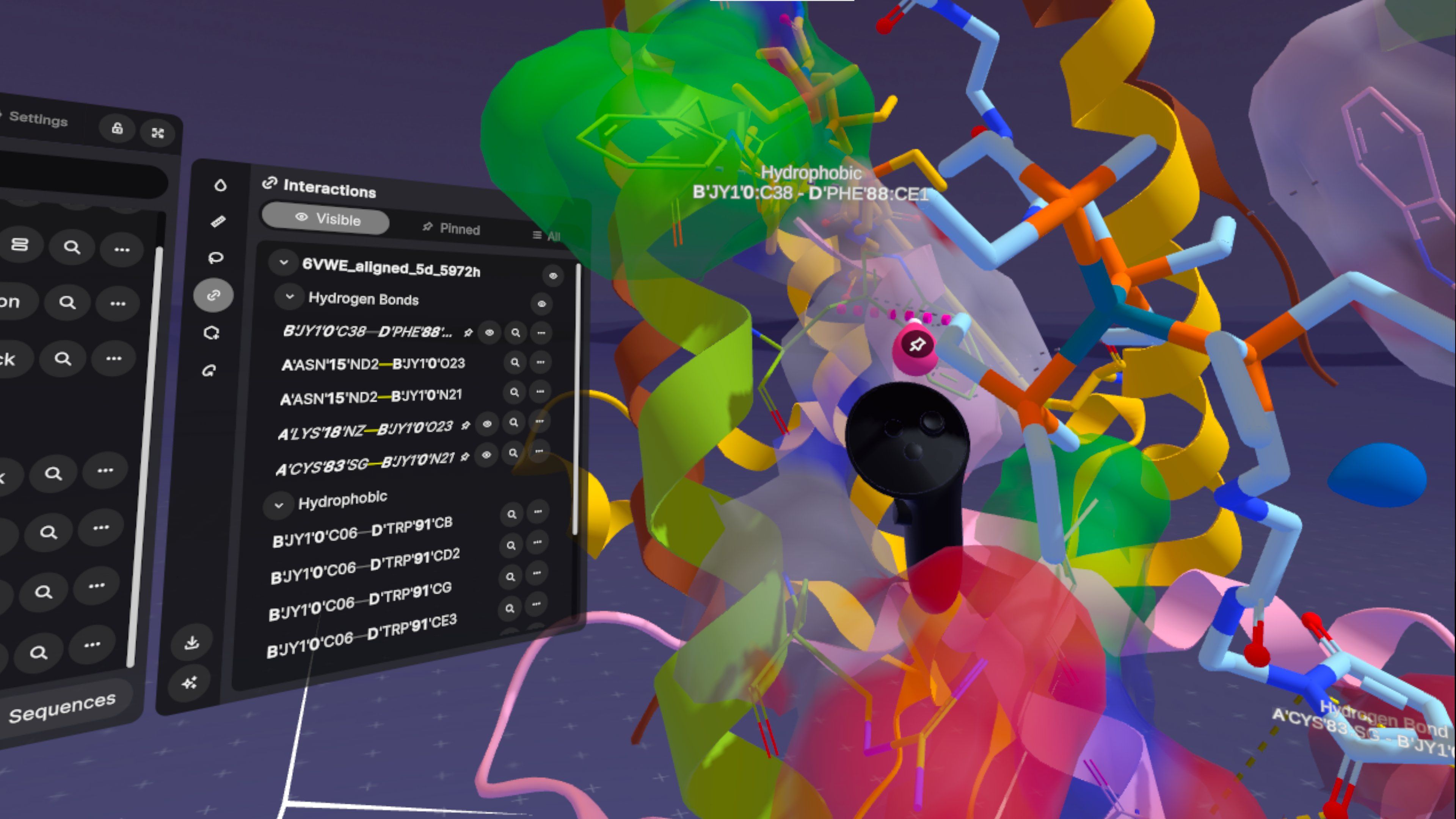
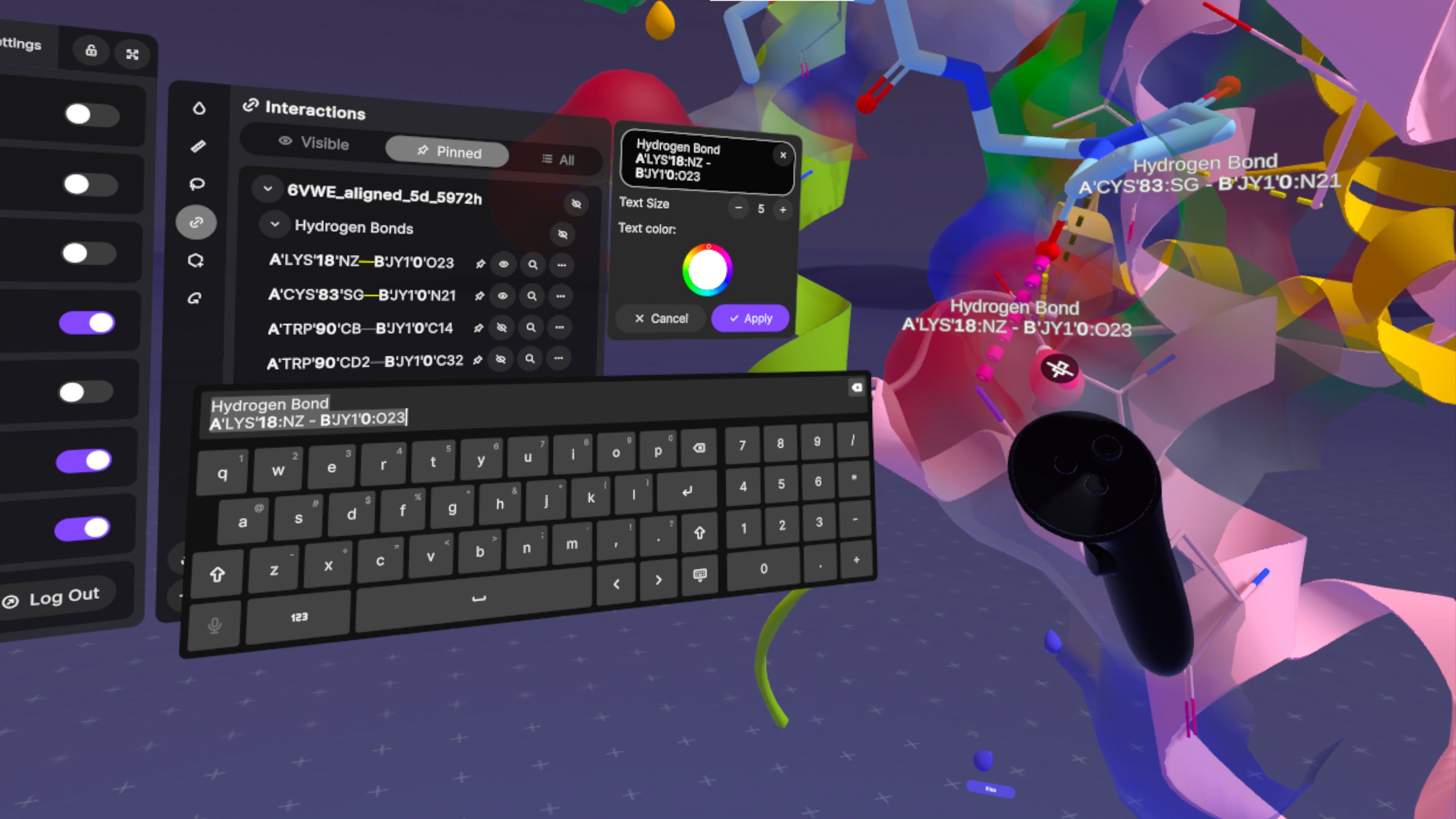
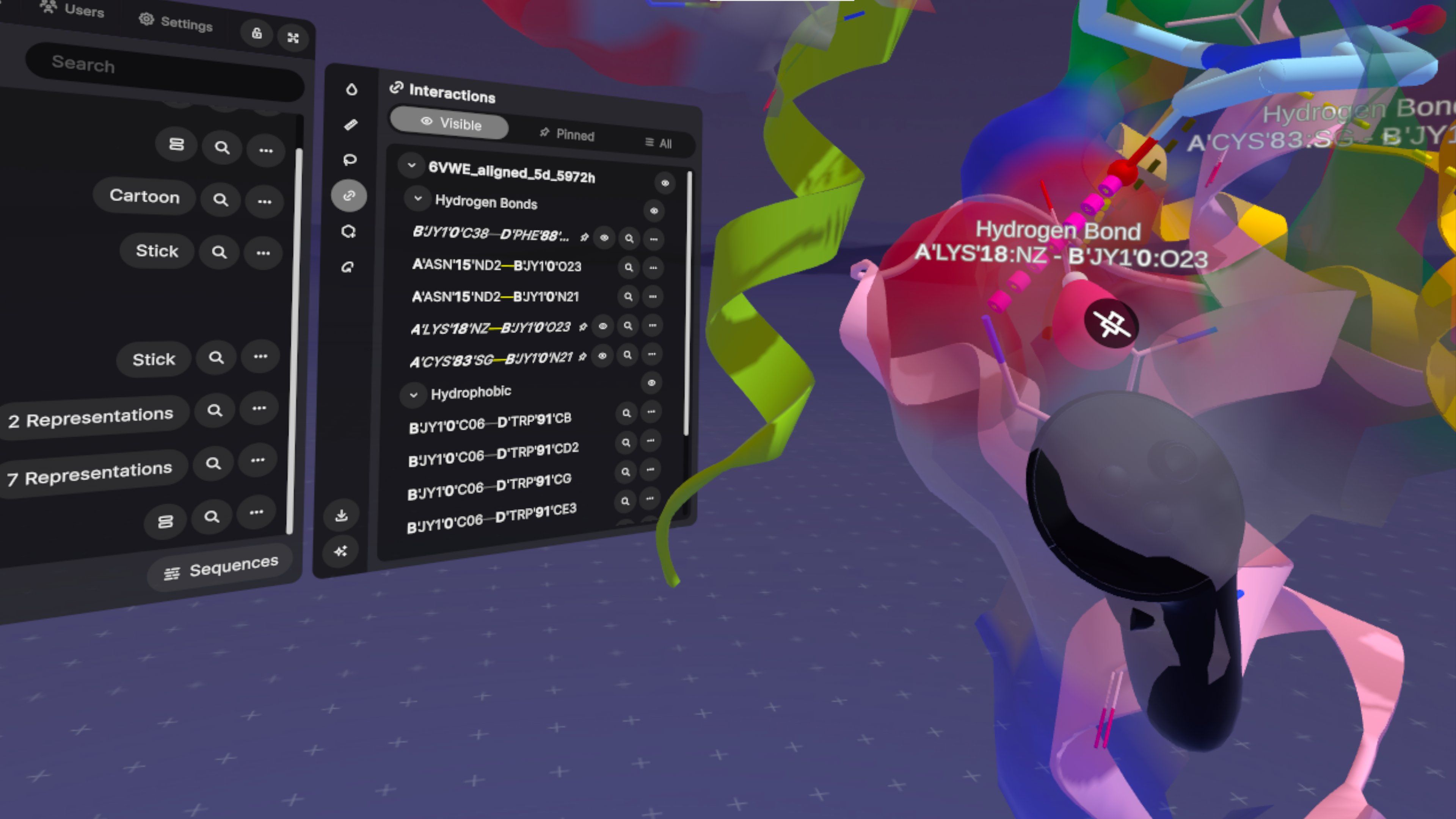
Visualize and Pin chemical interactions between molecular components with hover highlighting, drop annotations inline, and generate an interaction report when you're done. SDF support included.
Focus mode
Click on a molecular component (e.g. chain, ligand, water) and it displays a persistent highlight in the user's color. Click again to release.
The user color is what makes this interesting in a shared session. If Alice focuses on a binding pocket, it glows in her color, and everyone else in the room sees it immediately. Same principle as colored cursors in Google Docs: you always know who's paying attention to what, without anyone having to say it out loud.
Projects, permissions, and running Nanome with a team
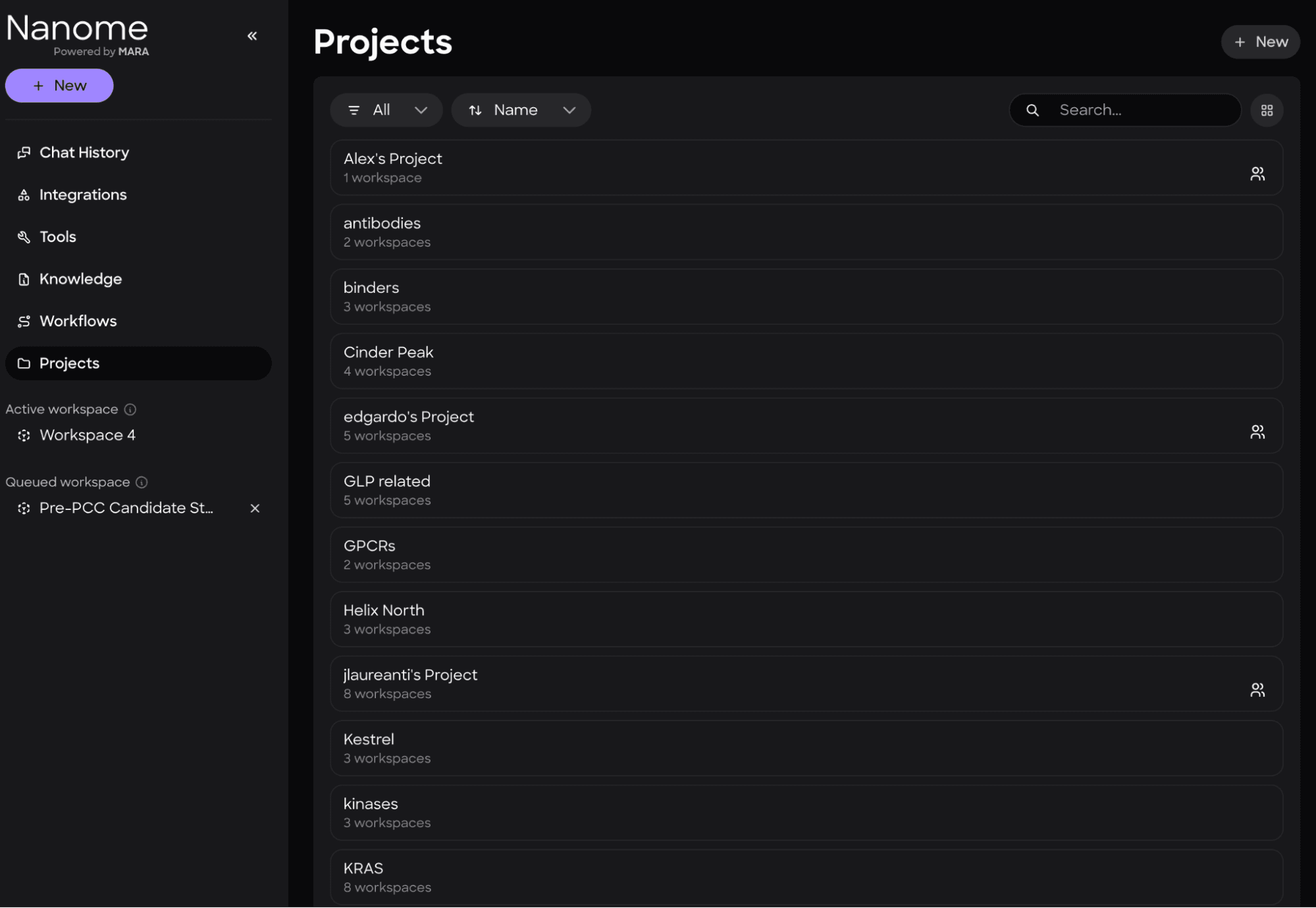
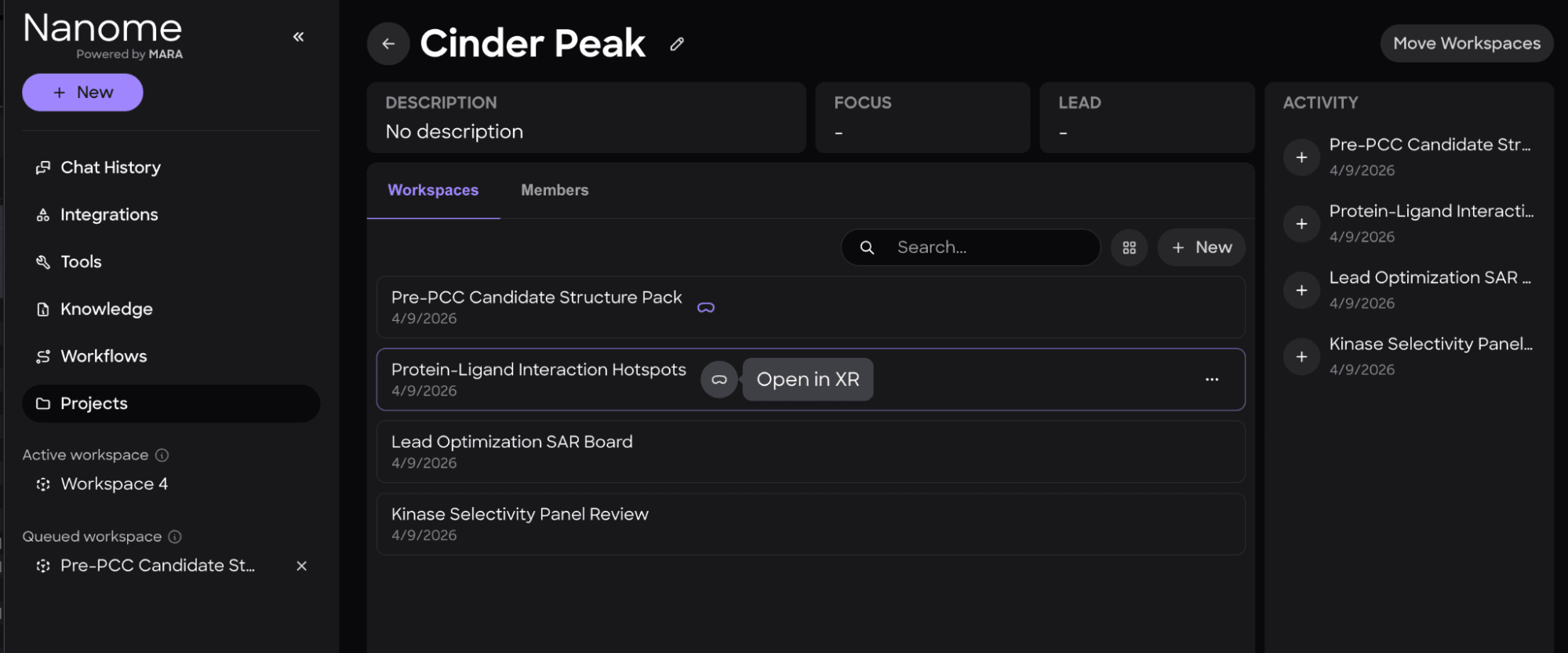
Teams kept asking for this. v2.5 ships a full project and permission system. Workspaces live inside projects, projects have owners, and every workspace carries owner/editor/viewer roles. Public workspaces let you share a session anonymously (this is the feature behind the embedded workspace on our homepage). XR session concurrency is capped at 2 per account.
It's the layer that makes running Nanome across a lab group, a department, or a whole company workable without writing your own access control on top.
Surfaces that load instantly
Persistent surface caching is a performance win we're proud of in this release. Molecular surfaces used to recompute from scratch every time you opened a workspace. Now they're cached, including in WebGL.
New file formats, better parsing
We expanded what Nanome can ingest:
- MAE, PSE, MOE can now be loaded as new entries into existing workspaces (previously only as brand-new workspaces via web). MOE files now parse per-atom, per-residue, and per-chain representations to recreate the original visualization.
- PQR is a whitespace-delimited PDB variant used by APBS for electrostatic potential calculations, storing charge and radius per atom.
- PDB parsing improved for shorter and more flexible line formats.
We also shipped full-surface electrostatic coloring with custom ESP color ramps that sync across users in real time.
The rest of the list
A few more things worth calling out:
- Scene management. Save and restore point-of-view per scene. Apply component transforms and visibility changes consistently across multiple scenes with "Apply Across Scenes." Recenter view with a confirmation overlay.
- Web workspace UI overhaul. New panel layout with Scenes, Entries, MARA, and Import panels.
- Workspace chat and pinned chats. Chat with other users directly inside a workspace. Pin the messages that matter.
- Follow a user from the web. Follow another user's viewpoint in real time from the browser, with viewer avatars visible in the workspace.
- Electron desktop app. Optional native wrapper for the web experience.
- CSV export from MARA tables. Download data tables from MARA responses as CSV.
- Customizable pocket size for binding site analysis.
- Handedness support for XR controllers, with handedness-aware grab mechanics and rotation.
- Passthrough camera support on PC VR devices.
- 30+ bug fixes across rendering, controllers, workspace management, tools, and networking.
Full changelog at nanome.ai/setup
How to get it
If you're on a headset, the v2 APKs are on the setup page. If you're on web, head to app.nanome.ai and sign in. If you don't have an account and just want to poke around, the homepage has an embedded workspace you can open without logging in.
We also rolled out a new front door for the whole Nanome experience alongside this release: a rebuilt website, shareable no-login workspaces, and new license tiers for academic and web-first users. That story lives in a companion post.
See you in the workspace.